 TRIFECTA
 THE TRIFECTA PLATFORM
The operating
system for your floor.
A connected workspace for the people growing, making, selling and managing your business.
Watch the animated product tour ▶01 / GROW
From the room
to the harvest.
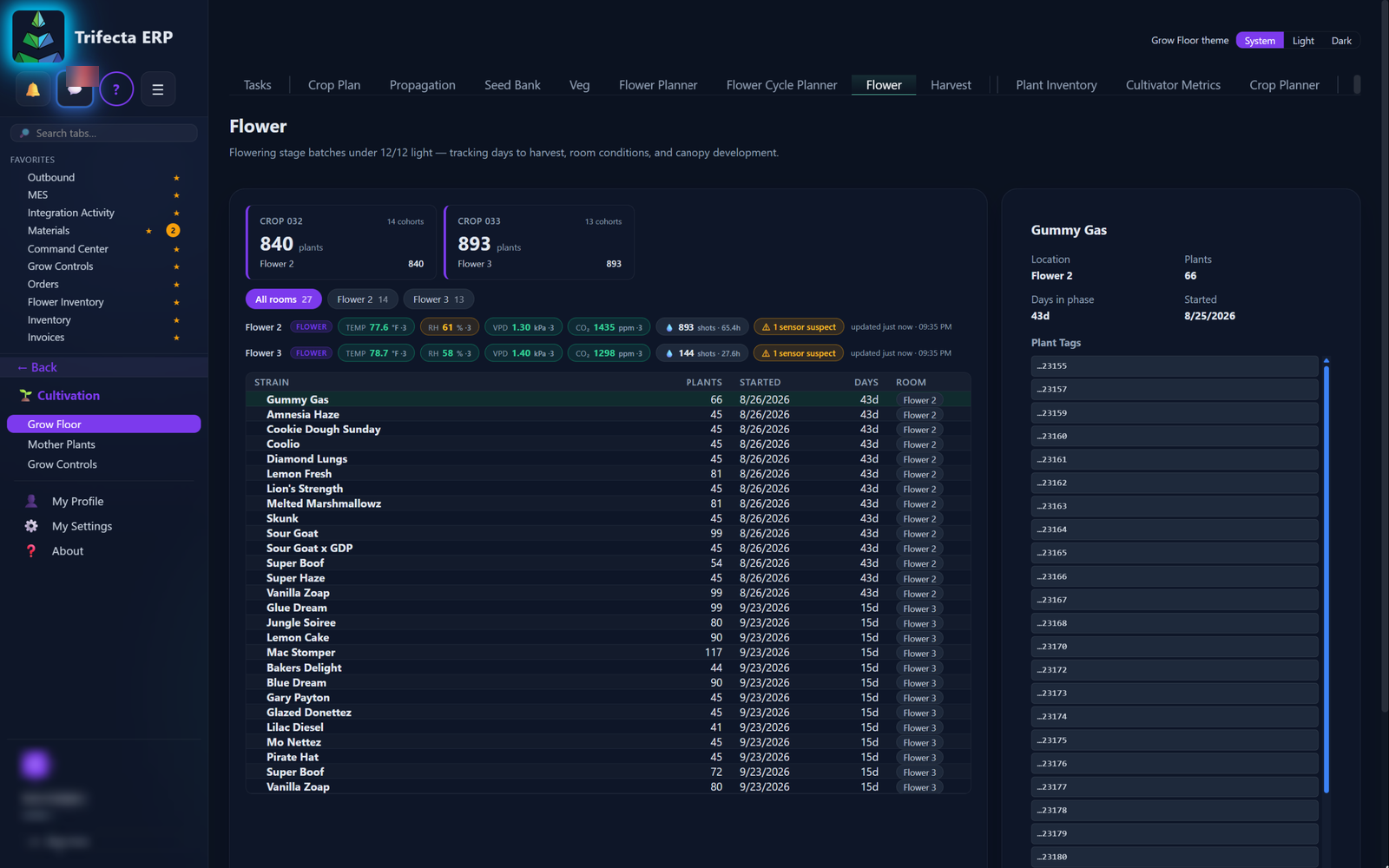
Organize cultivation work around crops, rooms, harvests and inventory, with a place for the history behind each record.
- Crop and harvest organization
- Configurable room and canopy information
- Flower inventory and material classifications
- METRC records and historical backfill workflows
02 / MAKE
Production,
job by job.
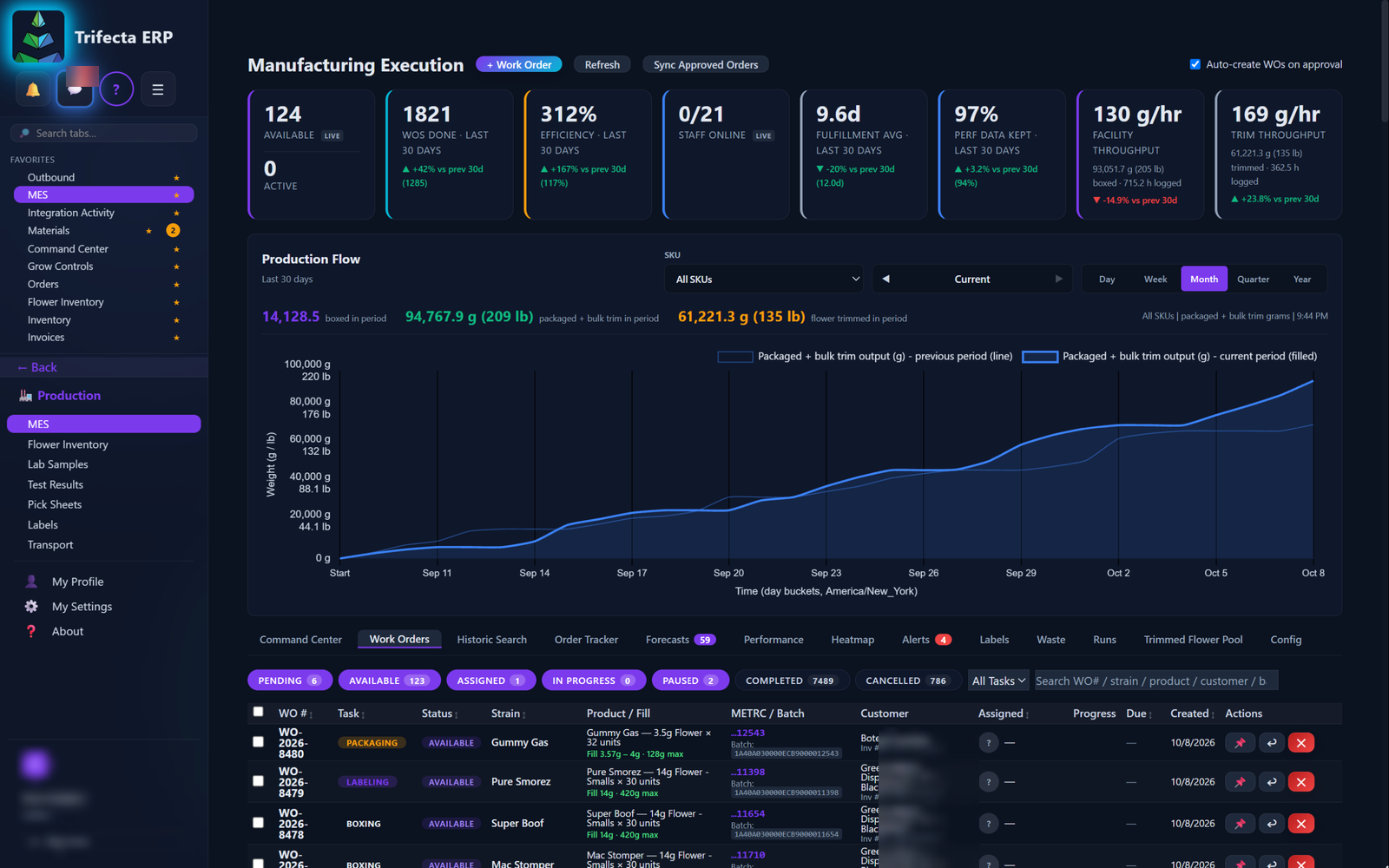
Connect materials, manufacturing inventory and the manufacturing execution system (MES). Keep the batch’s working license visible as material moves.
- Cultivation and manufacturing license context
- Manufacturing inventory alongside flower inventory
- Configurable material-grade groupings
- Batch and production workflows
ON THE PROCESSING FLOOR
The work order.
Right where the work happens.
Processing tablets put the MES at each workstation. Operators open their flower work queue, select a job, and see its material, quantity and operating license.
Start or pause work, open the SOP, and record finished output from the tablet. Work-order updates return to the ERP so managers and the floor share the same production picture.
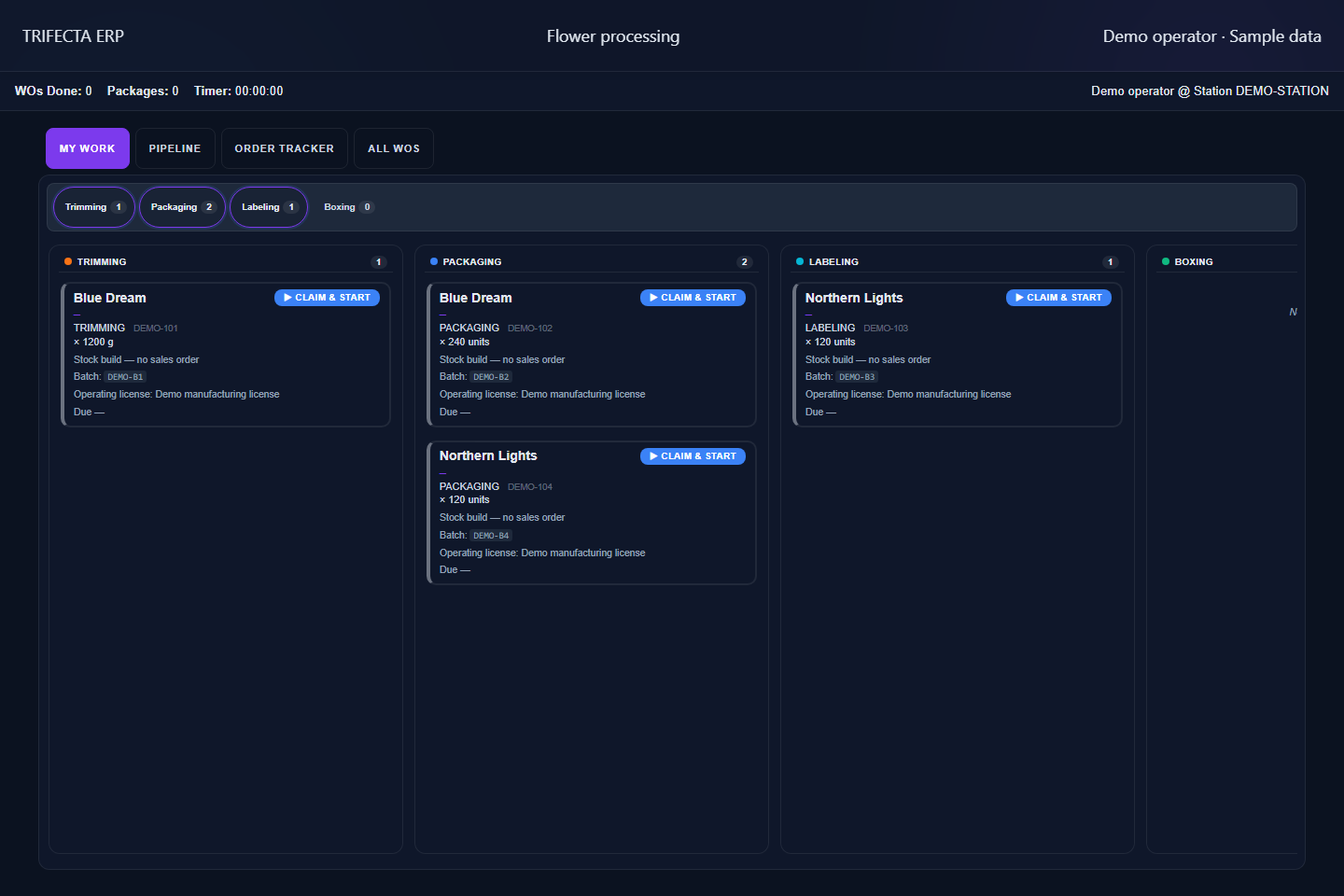
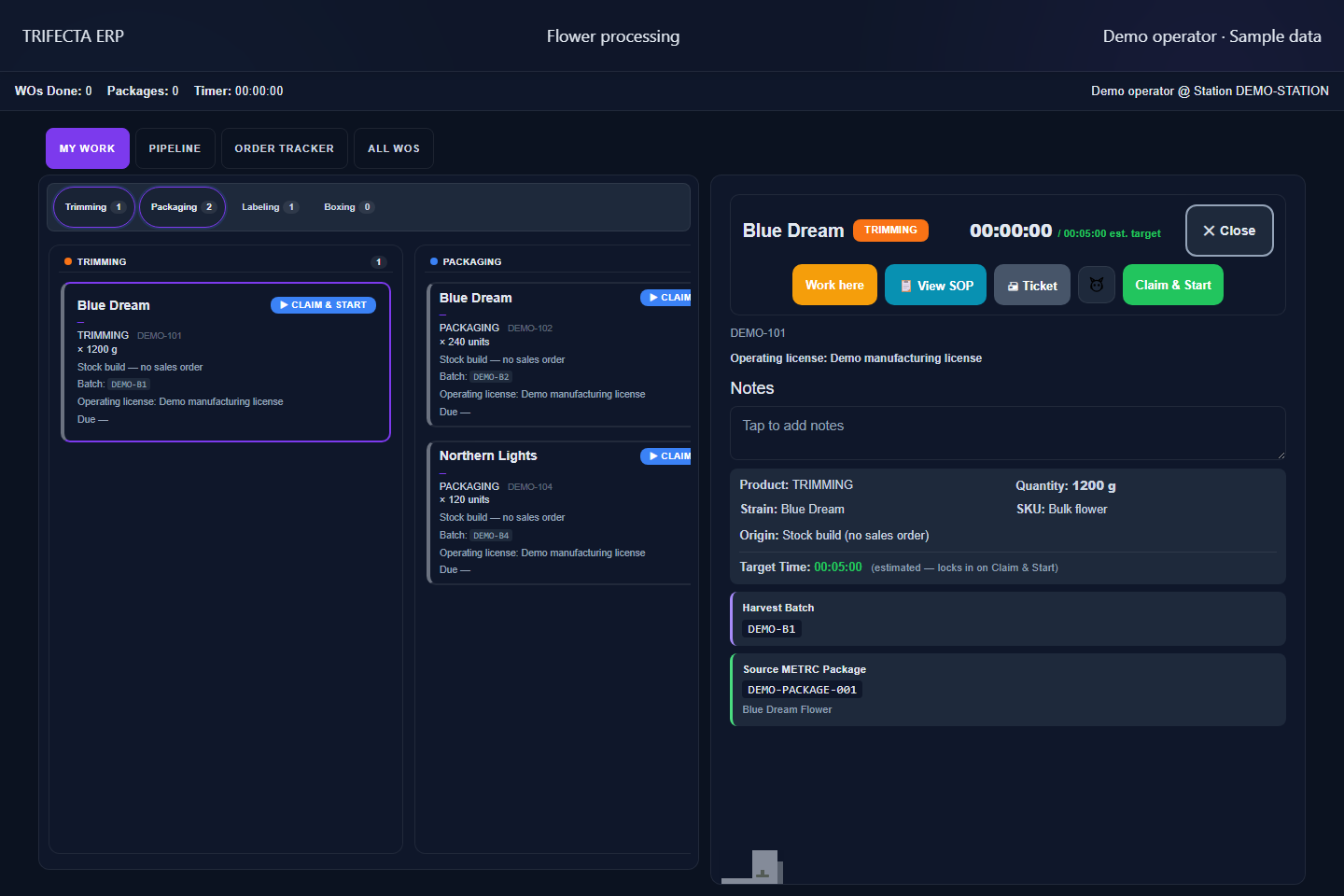
Actual processing interface shown with demonstration data. Select either image to view it full size. Tablets connect to your ERP installation.
03 / SELL
Your wholesale business.
On your terms.
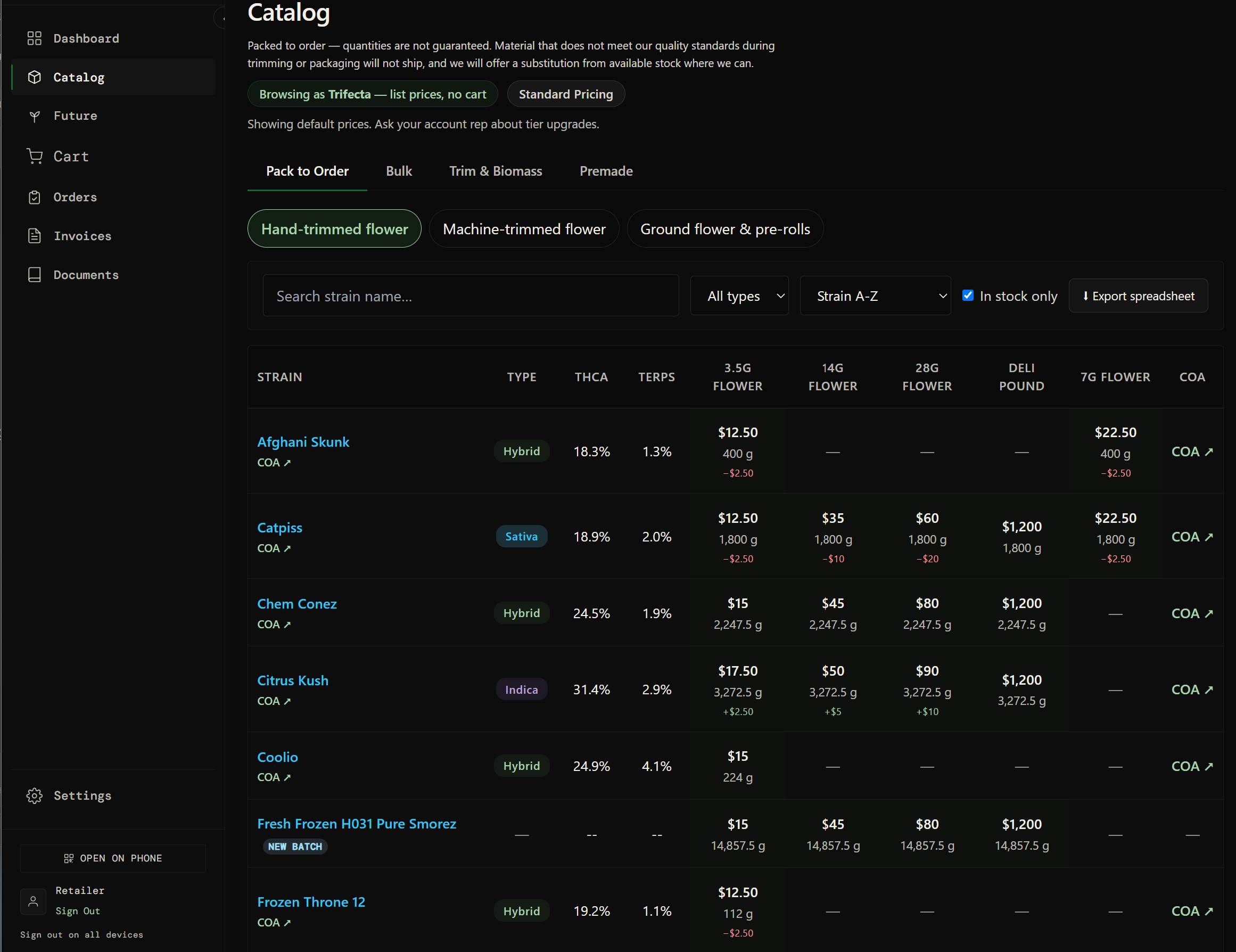
Bring customer records, orders, picking and invoicing into one workflow. The ERP has its own wholesale portal. Apex can be connected as an additional channel—not a prerequisite.
- Customer relationship management
- Wholesale portal and sales orders
- Pick sheets and fulfillment
- Invoices independent of Apex matching
04 / MONEY
Understand the numbers
behind the work.
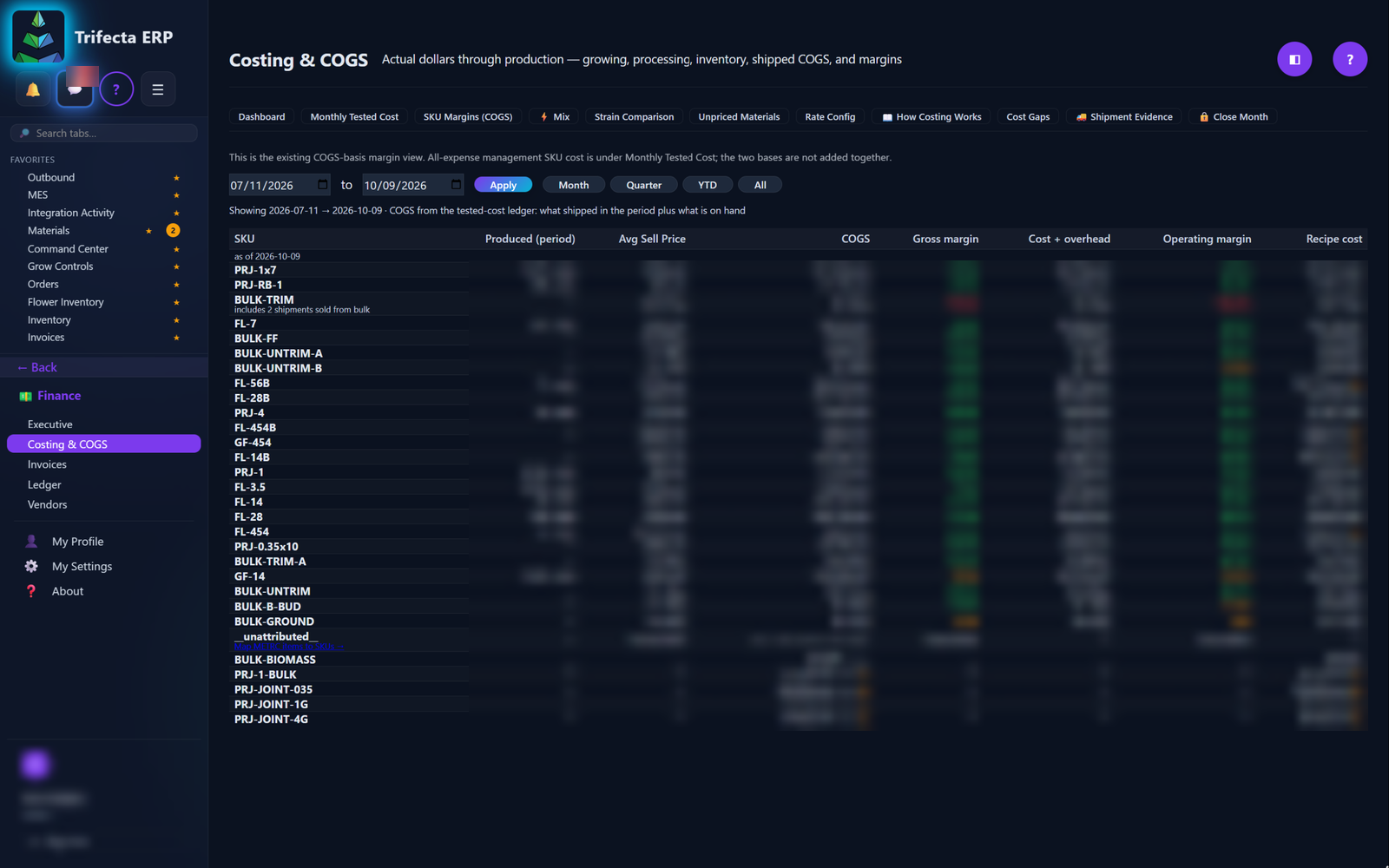
Connect financial source records with the operational context behind them. Bring in invoices, payments and customers first, then connect them to the rest of your data.
- QuickBooks customer and transaction imports
- Invoice and payment visibility
- Costing and cost of goods sold
- Ledger and financial reporting workspaces
05 / PEOPLE & PLATFORM
The team behind
the operation.
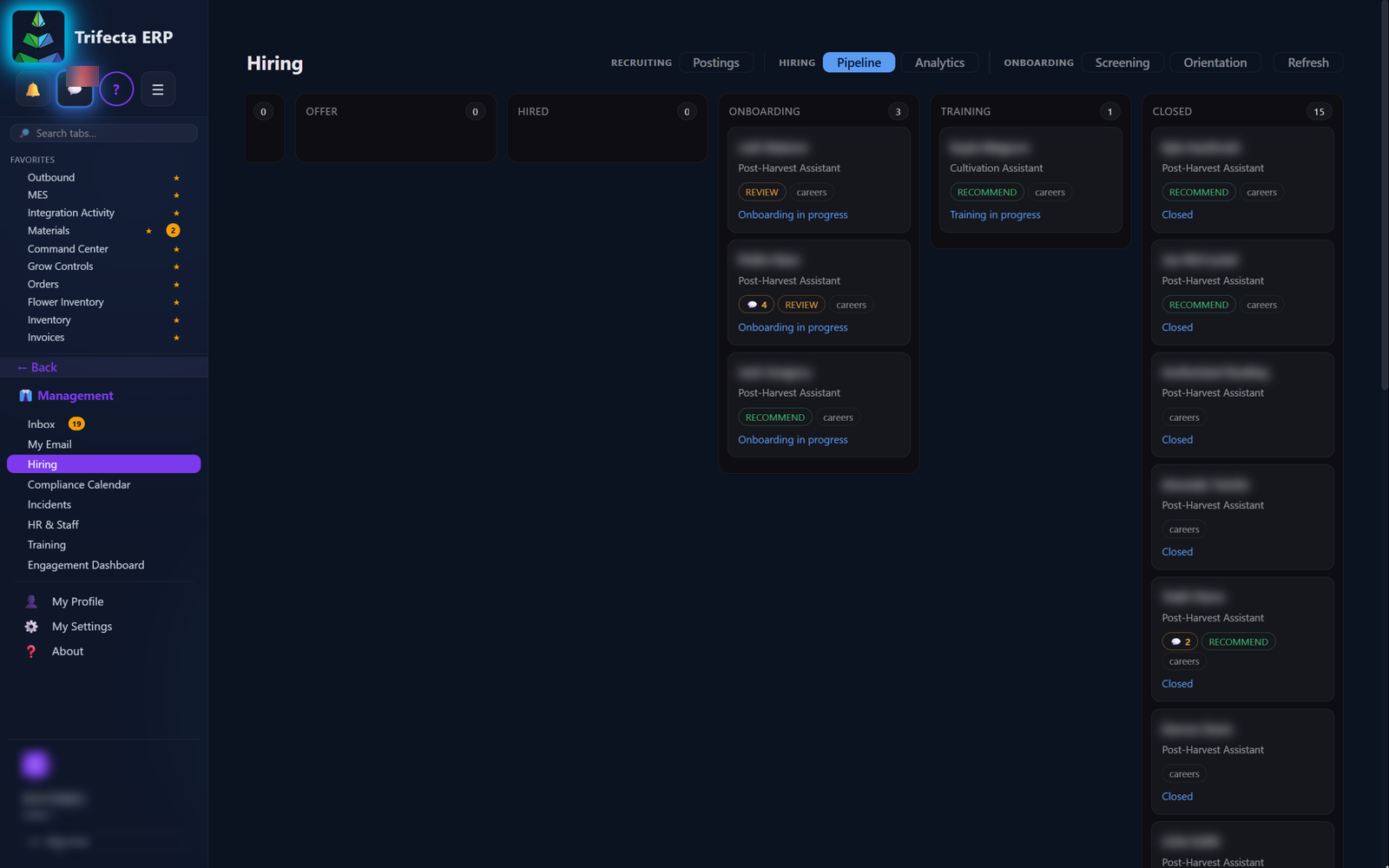
Bring staff into role-based workspaces. Connect your managed installation to Command Center so support has visibility into software and integration health.
- Staff records and account invitations
- Role-based access
- Remote integration metadata and diagnostics
- Packaged software updates
Remote services require a working internet connection. We’ll review your installation and integration needs during onboarding.
SEE IT IN YOUR CONTEXT